AftabPulse · 11-screen product tour · Demo catalog

Sign in, command the fleet, then drill into live HMI

Numbered tour of an on-prem Persian RTL console for Huawei SmartLogger 3000. Each frame is a full page. Data is a fictional sample fleet — not a customer site.

~42 MWDemo live power
66 MWpSample nameplate
5 plantsYazd · Kerman · Isfahan
Read-onlyModbus — never writes

01 / 11 · Access

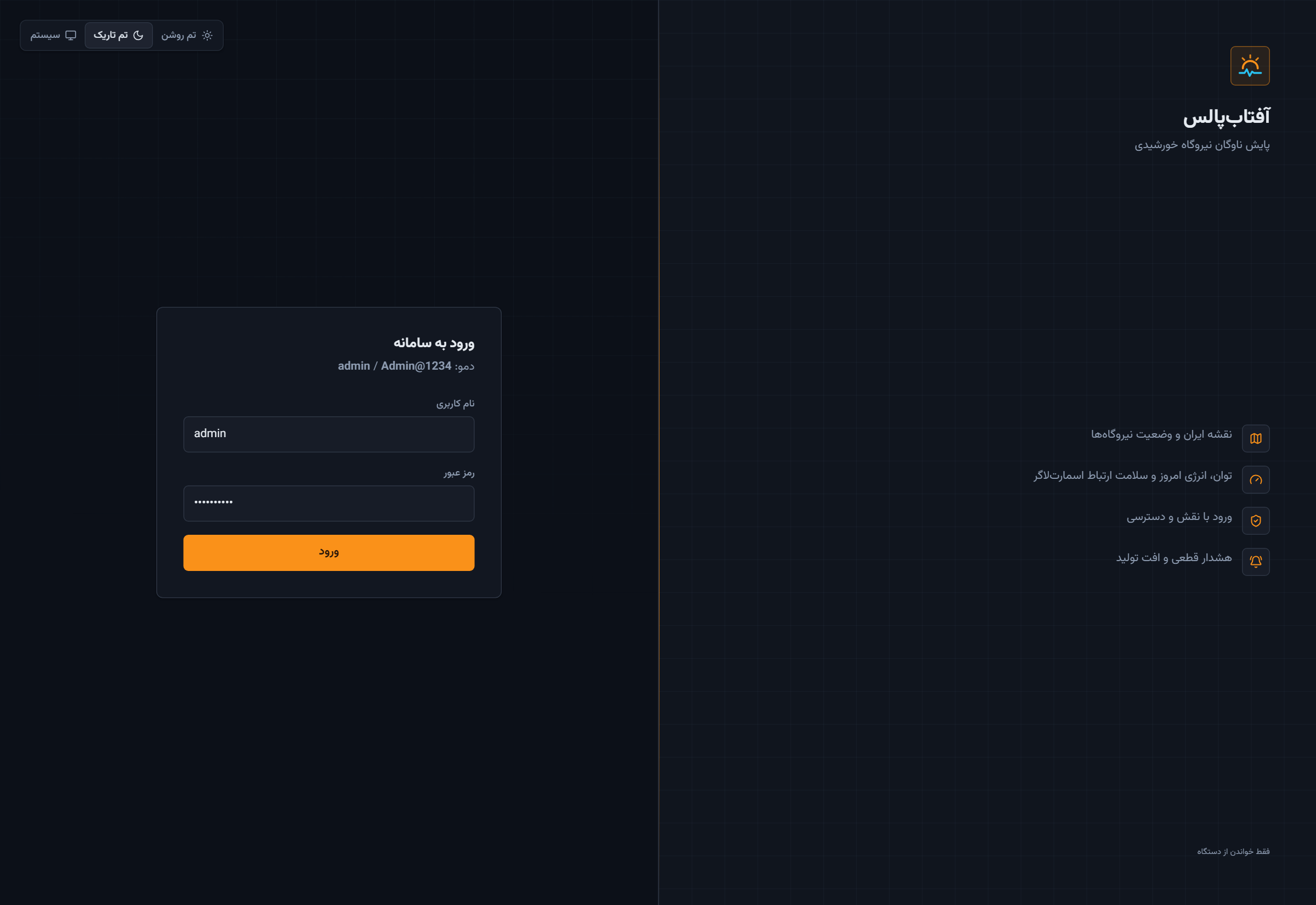
Sign-in — the operator enters the console

The tour starts where the shift starts: branded RTL login, demo credentials, and the four jobs the console is built for — map, live power, roles, and alerts.

01 — Full AftabPulse login page

Catalog login is a demo account only (admin / Admin@1234). It is not a customer identity store.

Next · 02 Command center →

02 / 11 · Operations

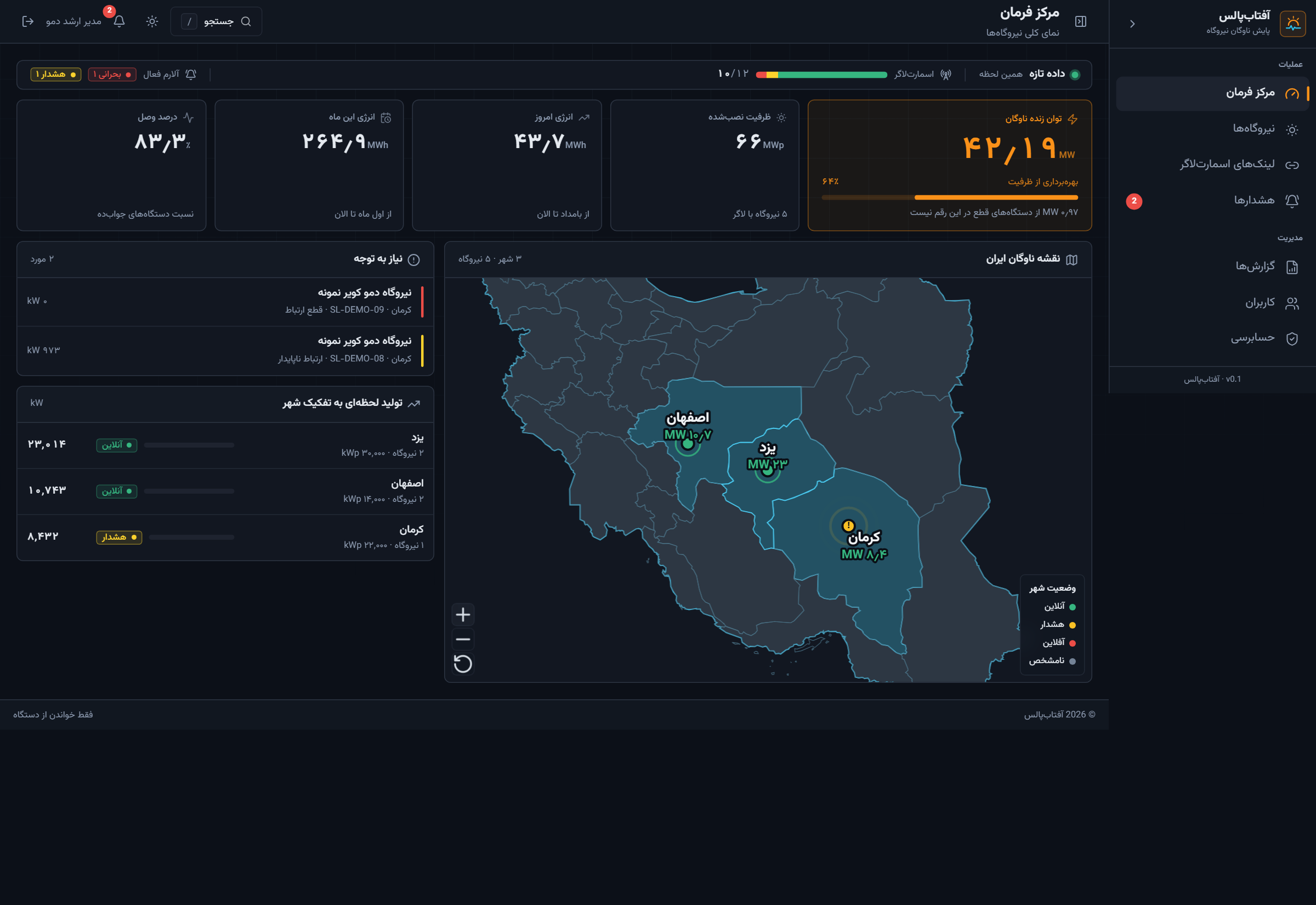
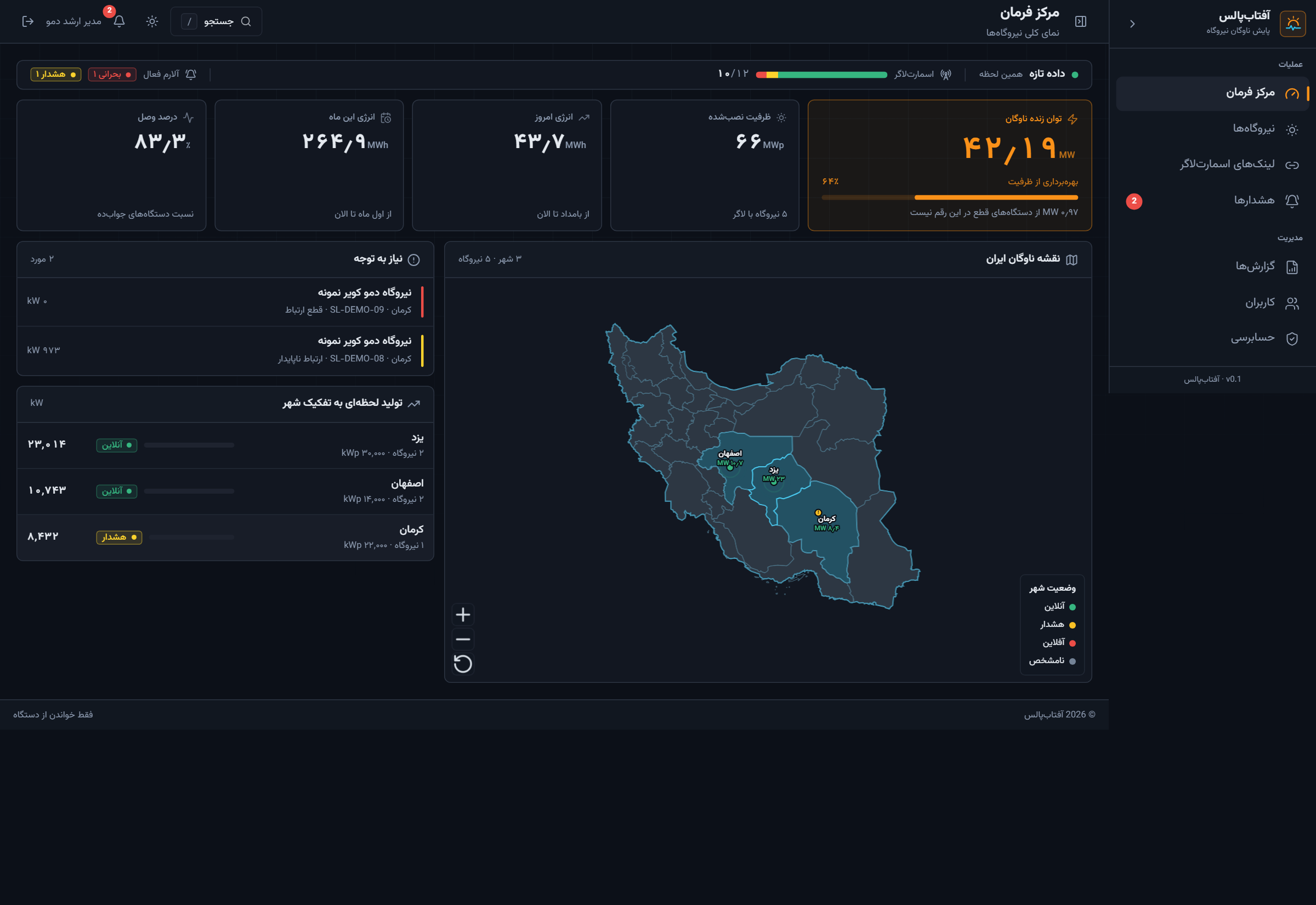
Command center — national map, KPIs, attention

After login, leadership lands here: live MW, today and month energy, logger availability, city ranking, and an ISA-style attention list. Offline plants do not fake green on the map.

02 — Full command center with demo KPIs and Iran map

Sample cities: Yazd and Isfahan online, Kerman in alarm. Live MW is online loggers only.

Next · 03 Map zoom →

03 / 11 · Operations

Map zoom — city name and live megawatts

Same command screen after zoom. One pin per producing city. The green figure is live megawatts, not nameplate.

03 — Command center after map zoom

Next · 04 Plant directory →

04 / 11 · Fleet

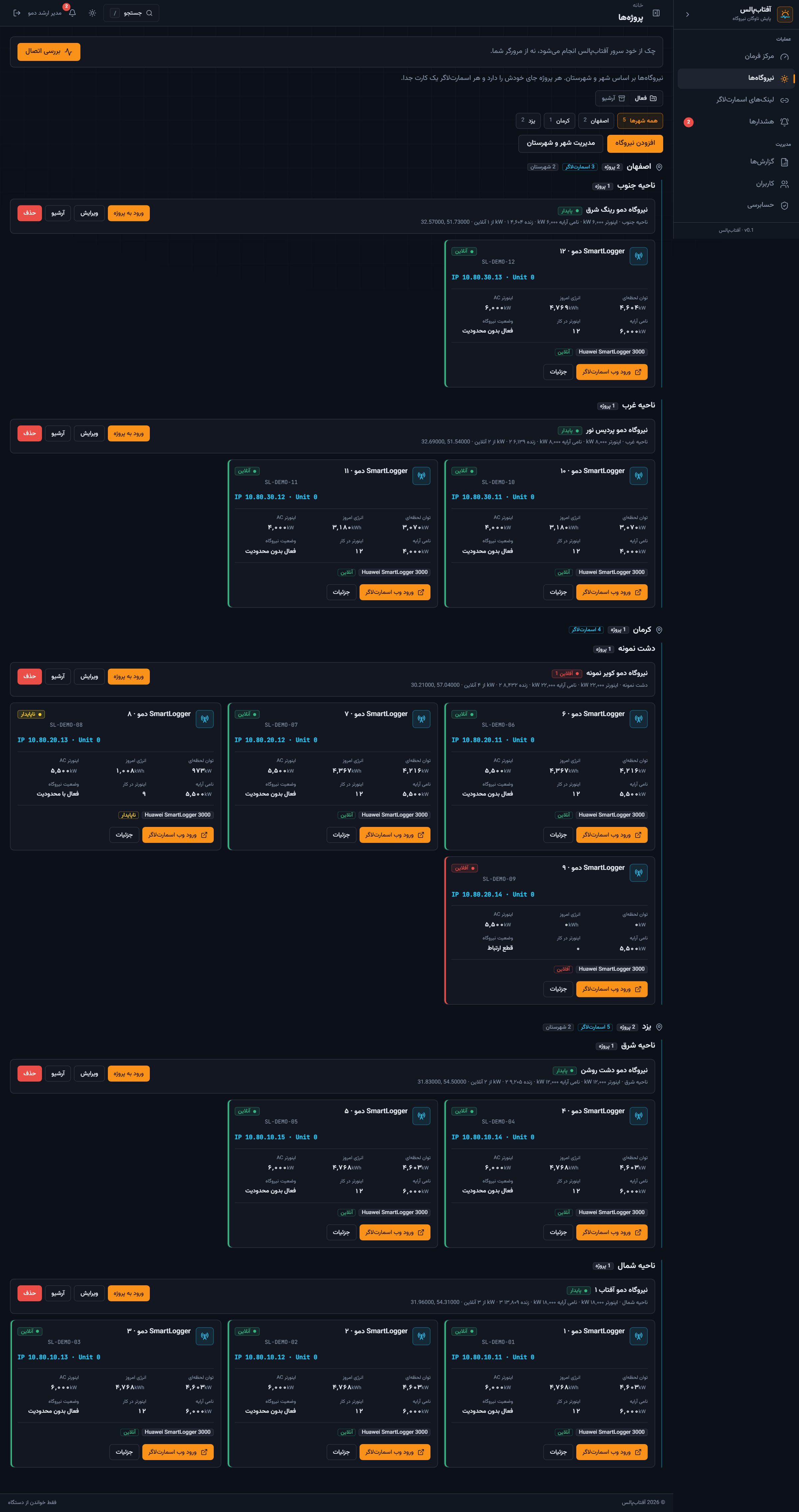
Plants — every project card, uncropped

From the map, the operator opens the portfolio: city chips, districts, logger cards, AC/DC power, and health for all five demo sites.

04 — Full plants page with all demo sites

Hosts are 10.80.10–30.x — documentation addresses, not a live OT LAN.

Next · 05 Plant detail →

05 / 11 · Fleet

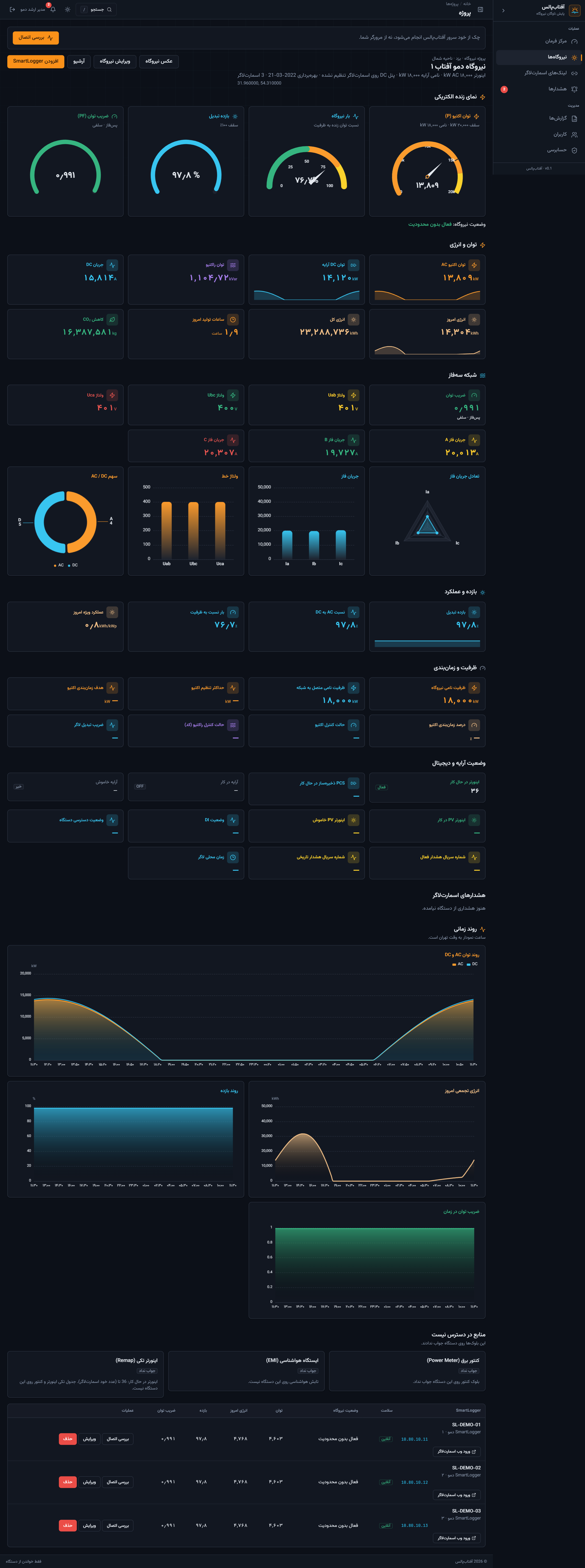
Plant detail — one project, all loggers

A single sample plant (آفتاب ۱, Yazd) with live gauges, energy tiles, phase charts, 24-hour trends, and the logger table at the bottom.

05 — Full plant detail page

Next · 06 Live HMI →

06 / 11 · Live HMI

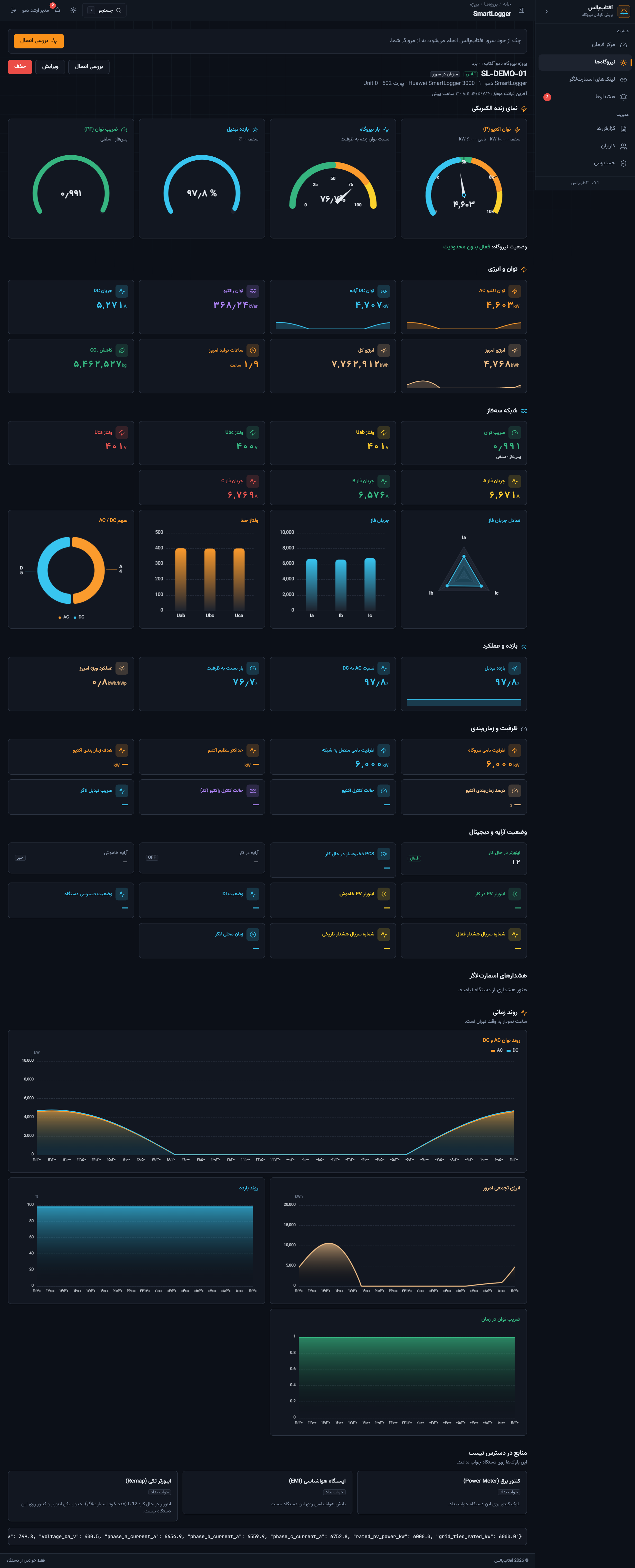
Live SmartLogger — industrial gauges to the last chart

The device board: active power, efficiency, loading, power factor, AC/DC, three-phase, inverter notes, and energy curves. The product reads Huawei registers and never writes.

06 — Full SmartLogger live HMI

Figures on this page are generated for the catalog. In production they come from Modbus.

Next · 07 Reports →

07 / 11 · Intelligence

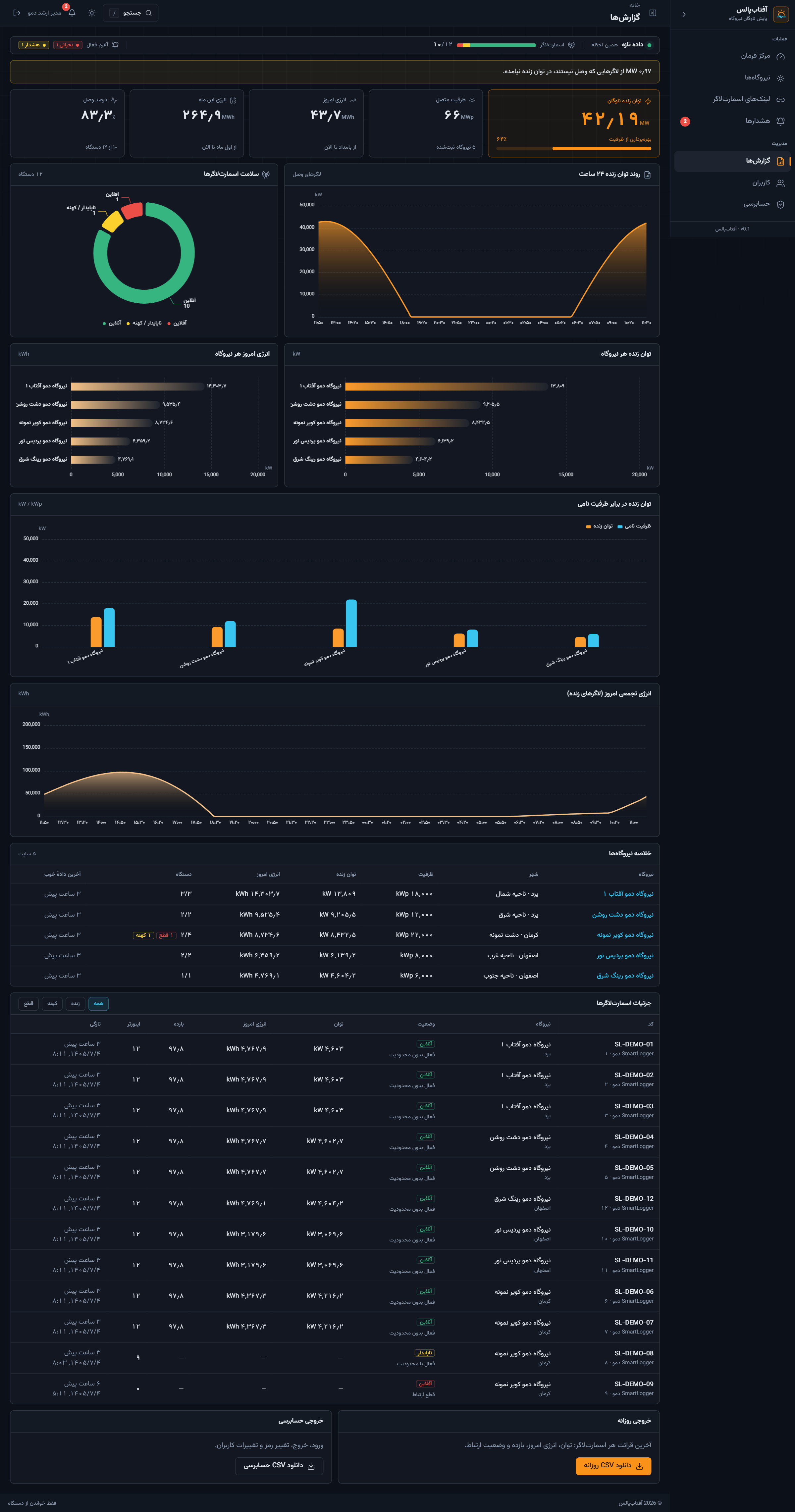
Reports — 24-hour trend, ranking, compare, tables

The analyst surface in full: live-power curve, logger-health donut, plant bars, live vs nameplate, daily energy, plant summary, and the logger table with CSV export.
07 — Full reports page with all charts and tables

Next · 08 Alerts →

08 / 11 · Operations

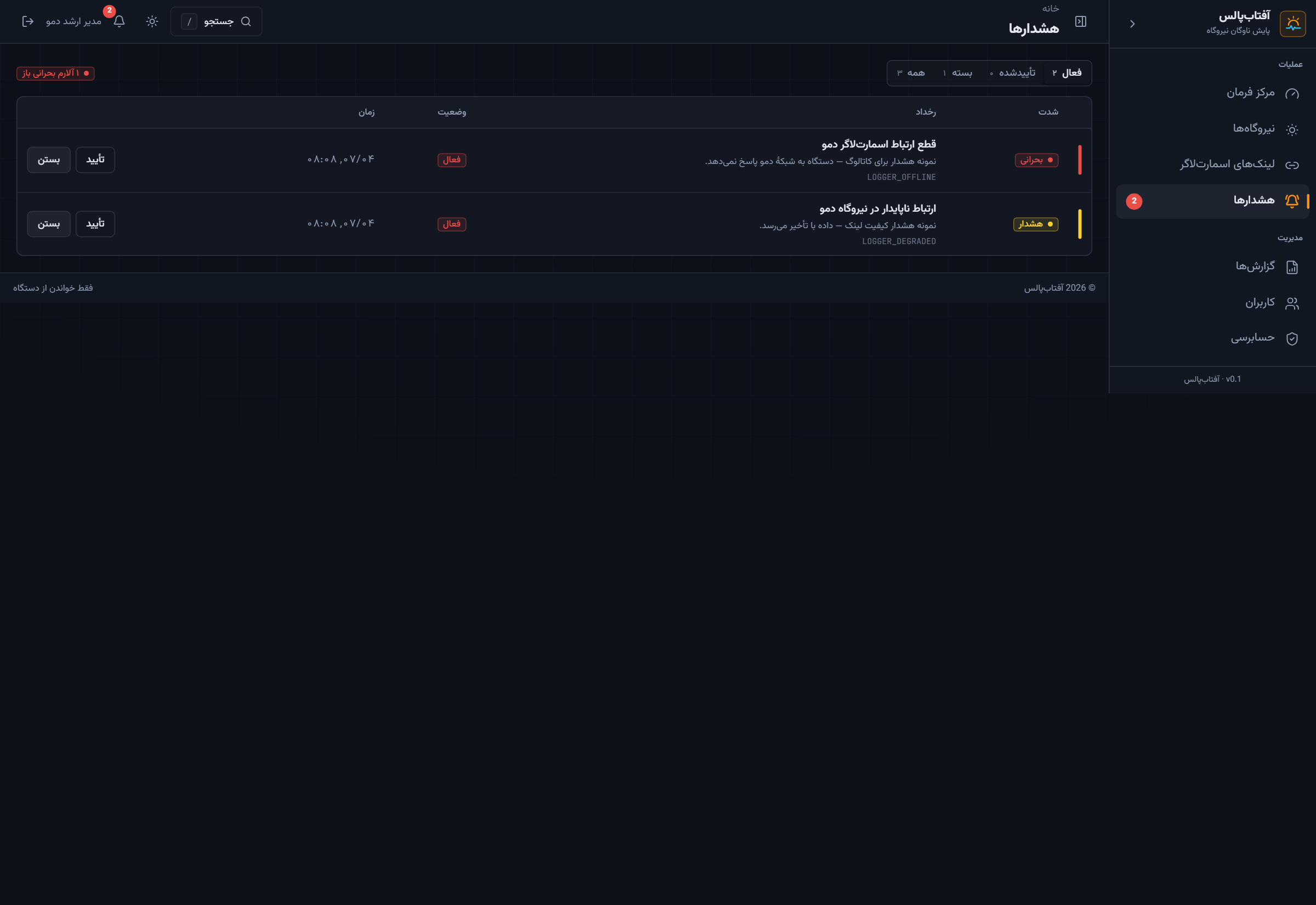
Alerts — comms loss and degraded link

ISA-style queue: critical on top, acknowledge and close. Sample events only — “demo logger offline”, not a customer ticket.

08 — Full alerts page

Next · 09 Logger portals →

09 / 11 · Devices

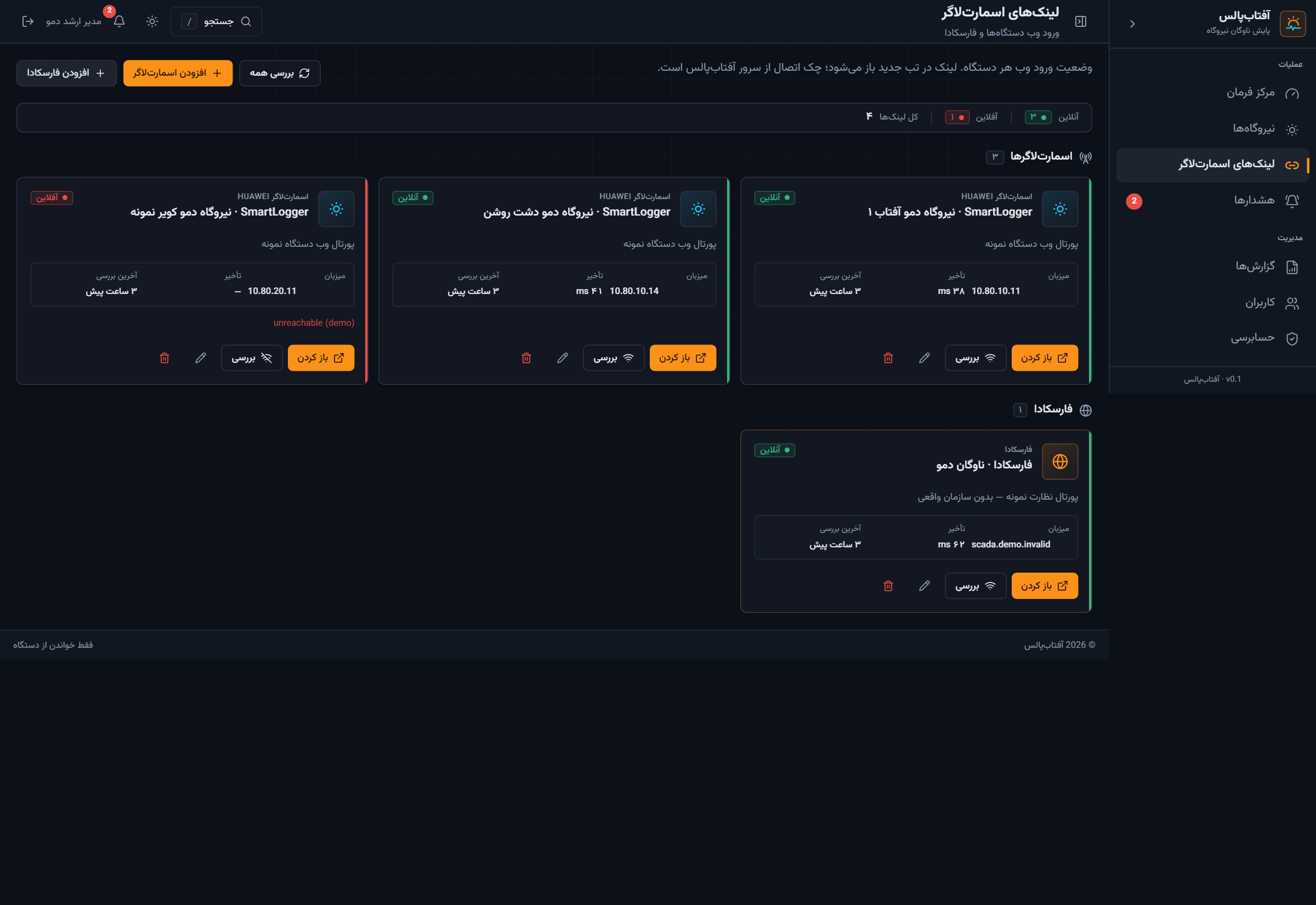
Logger portals — SmartLogger web and demo SCADA

A link shelf so operators do not hunt bookmarks: sample SmartLogger pages and a fictional Farscada card.

09 — Full logger portal links page

Next · 10 Users →

10 / 11 · Administration

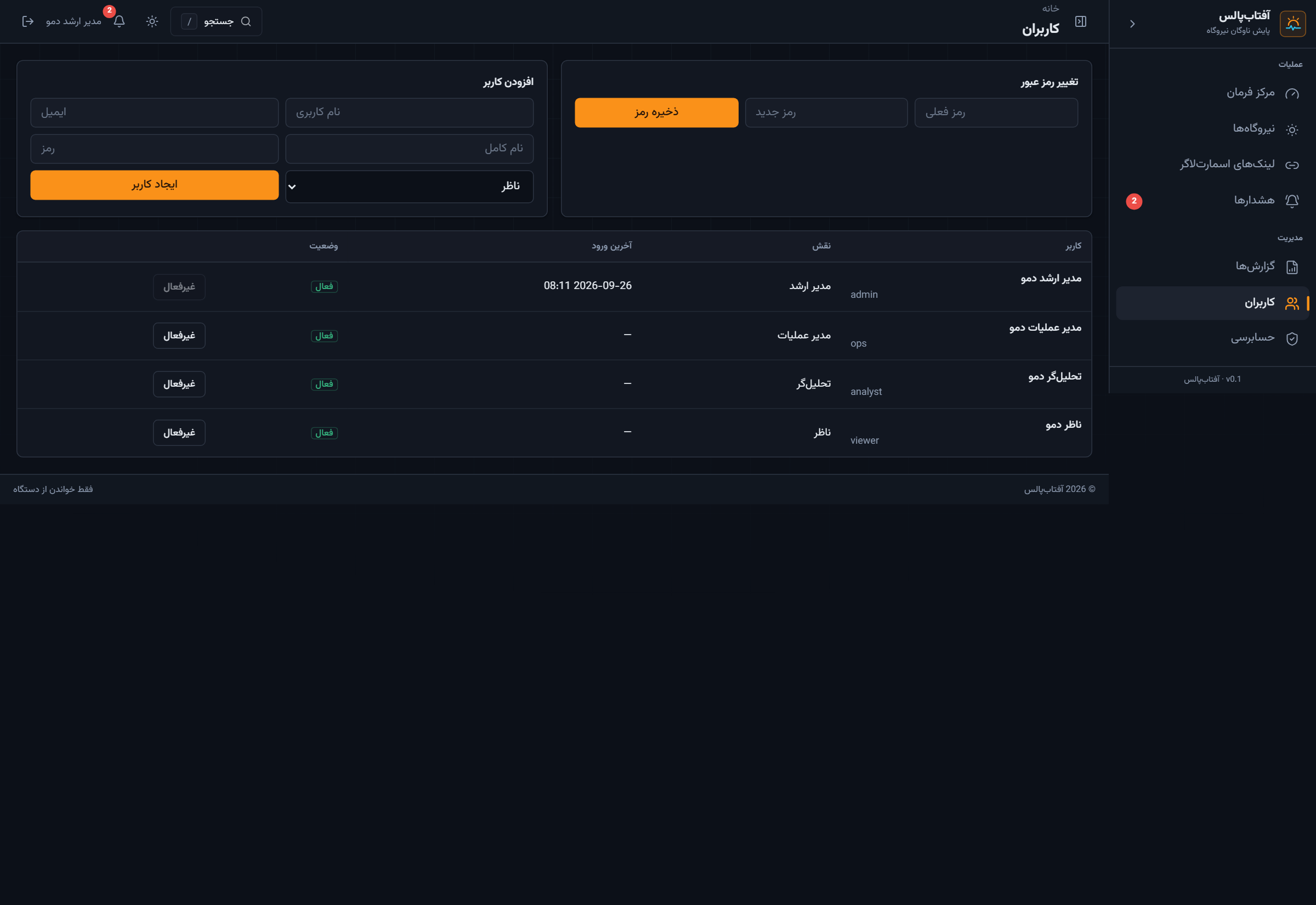
Users — viewer to super-admin

Four demo roles on demo.aftabpulse.local. No real names or corporate emails.

10 — Full users page

Next · 11 Audit →

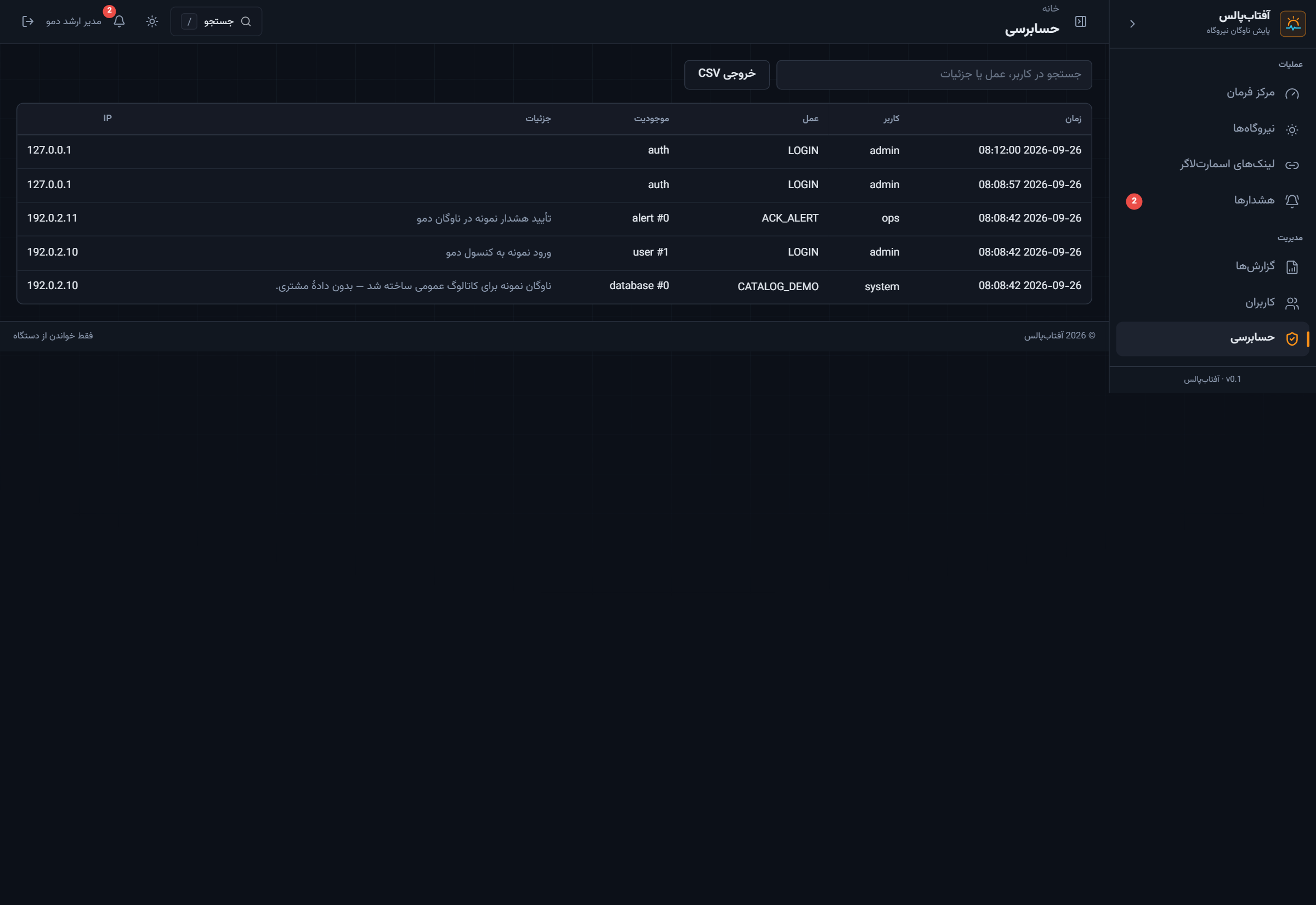
11 / 11 · Administration

Audit — who signed in, what changed

The tour ends on the trail: catalog seed, demo login, sample alert ack. IPs are RFC 5737 documentation range (192.0.2.x).

11 — Full audit log

End of the operator path: access → command → fleet → HMI → reports → alerts → admin.

Where AftabPulse sits

Built for operators who already own Huawei SmartLogger 3000 and need a Persian control room on the plant LAN.

vs. FusionSolar cloud

Runs on the operator LAN, talks Modbus directly, and does not depend on the vendor cloud for the live MW figure.

vs. generic SCADA

Fleet map, city MW, honesty rules for stale telemetry, and RTL operations UX instead of a tag browser.

vs. spreadsheet ops

One console for a multi-city portfolio: availability, energy today, and which logger has been quiet.

آفتاب‌پالس — تور ۱۱ صفحه‌ای

ترتیب کاتالوگ همان مسیر اپراتور است: ورود → مرکز فرمان → نقشه → نیروگاه‌ها → جزئیات → HMI زنده → گزارش → هشدار → پورتال → کاربران → حسابرسی.

۰۱–۰۳

ورود، مرکز فرمان و زوم نقشه با توان زنده.

۰۴–۰۶

فهرست نیروگاه، صفحهٔ پروژه و گیج‌های اسمارت‌لاگر.

۰۷–۱۱

گزارش کامل، هشدار، لینک دستگاه، نقش و audit.

اسکرین‌ها صفحهٔ کامل‌اند. نام‌ها و IPها نمونهٔ نمایشی‌اند تا دادهٔ مشتری لو نرود.